What Is an Interactive Resume? (And Why It’s Not Just a “Fancy CV”)
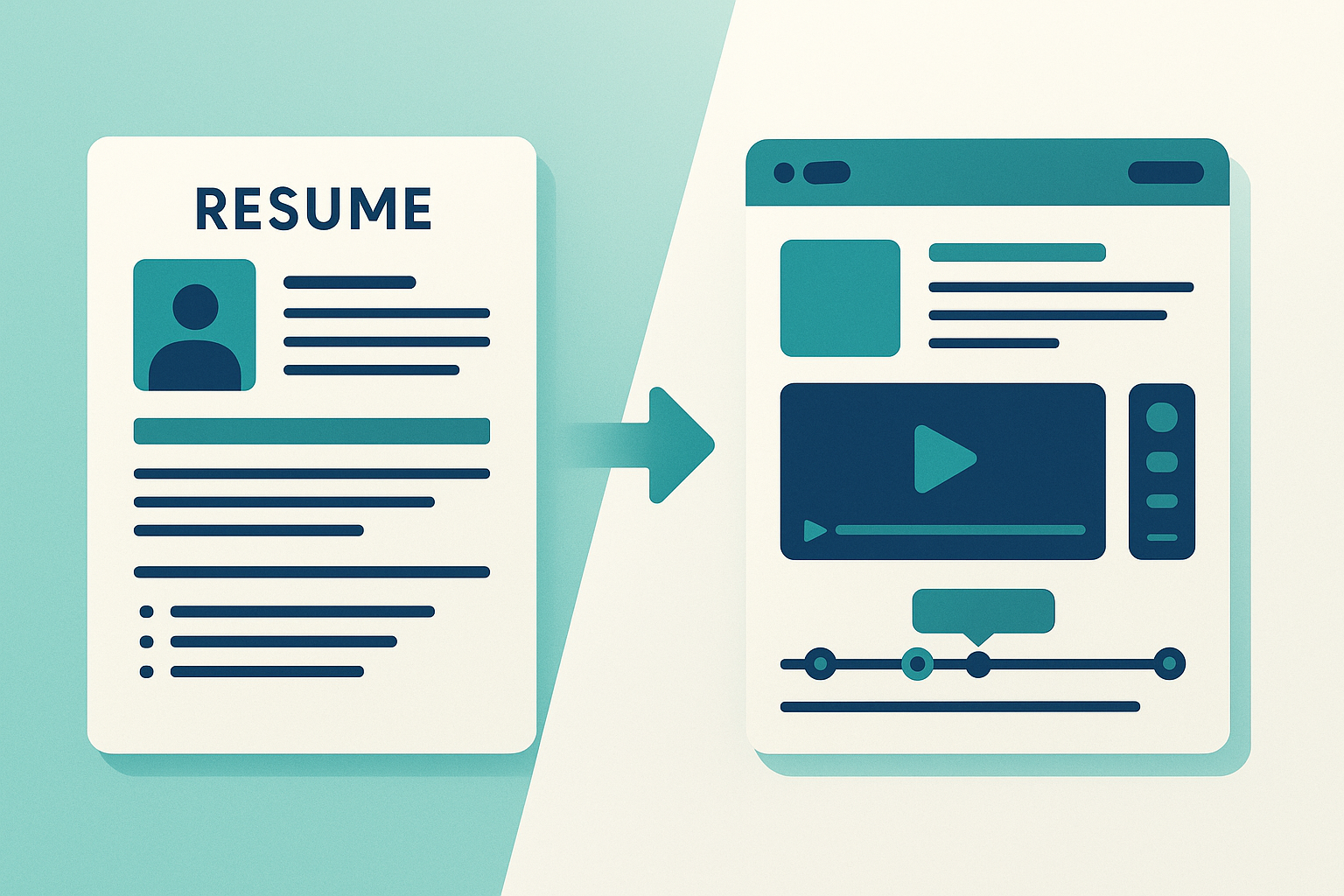
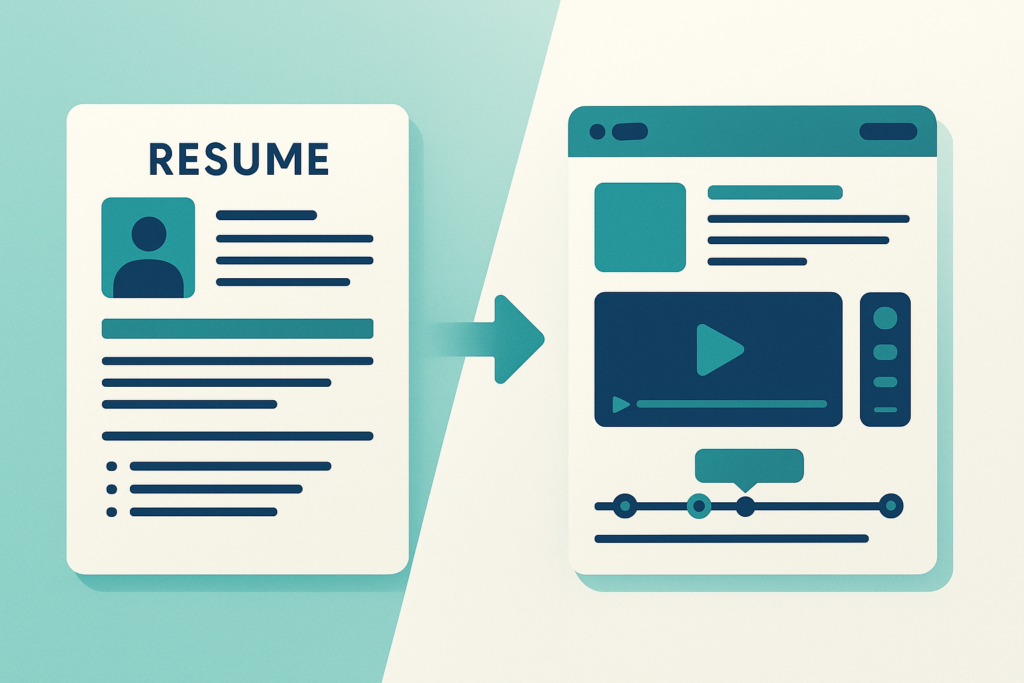
Most people hear “interactive resume” and picture something gimmicky — a flashy website with spinning animations. That’s not what we’re talking about. An interactive resume is a digital experience where the recruiter controls what they see. They click, navigate, and choose which sections to explore. That small shift — from passive reading to active exploration — changes everything.
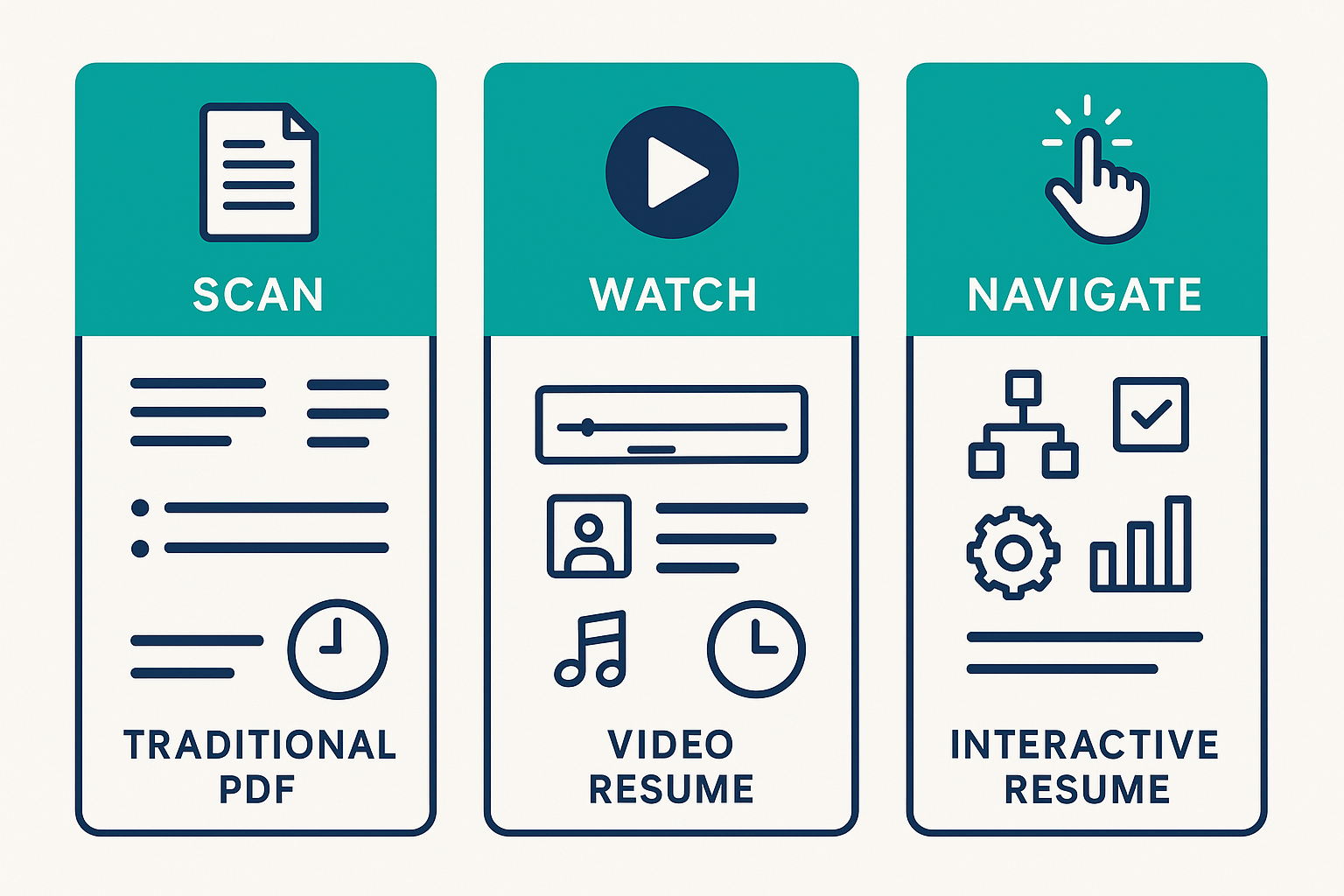
Interactive vs Video vs Traditional — Key Differences
| Traditional PDF | Video Resume | Interactive Resume | |
|---|---|---|---|
| Format | Static document | Linear video (1-2 min) | Navigable digital experience |
| Recruiter experience | Scans in 7.4 seconds | Watches passively | Clicks, explores, chooses what to see |
| ATS compatible? | ✅ Yes | ❌ No | ❌ No (use with Dual-CV Strategy) |
| Time investment to create | Low | Medium-High | Low (AI tools) to High (manual) |
| Best for | Formal applications, ATS systems | Creative roles, personal branding | Direct outreach, networking, high-impact roles |
| Callback improvement | Baseline | +156% in appropriate roles (1Template) | Highest engagement — recruiter spends more time |
The key distinction: with a traditional resume, the recruiter scans. With a video, they watch. With an interactive resume, they navigate. That active engagement is what makes the difference.
The 7.4-Second Problem
A landmark eye-tracking study by The Ladders found that recruiters spend an average of 7.4 seconds on an initial resume scan. That’s not a lot of time to communicate years of experience, skills, and potential.
It gets worse. According to Qureos (2026), fewer than 5% of recruiters spend more than one minute reviewing a single resume during initial screening. Your carefully crafted bullet points about “driving cross-functional alignment”? Most of them never get read.
An interactive format changes the dynamic. Instead of a recruiter speed-scanning a wall of text, they’re presented with clear navigation — clickable sections, embedded content, visual summaries. They choose what to explore. That choice creates engagement. And engagement extends the time a recruiter spends with your application from seconds to minutes.
Resume Statistics 2026: Why Standing Out Matters
If you’ve been applying to jobs and hearing nothing back, it’s not just you. The numbers paint a bleak picture:
- 250+ applications per corporate job posting (Glassdoor/Enhancv 2025)
- Less than 3% of resumes lead to an interview (TeamStage)
- 64% of recruiters have noticed a surge in look-alike, AI-generated resumes (HeroHunt.ai 2025)
- 88% of employers believe their ATS filters out qualified candidates (Select Software Reviews 2026)
- 92% of rejections are actually manual — a human decided to pass on you, not a robot (Enhancv 2025)
That last one is important. We’ve been told for years to “beat the ATS” — optimize keywords, use the right formatting, follow the template. But 92% of the time, it’s a person rejecting you. A person who looked at your resume for 7.4 seconds, saw something that looked like the last 50 resumes they reviewed, and moved on.
The problem isn’t your qualifications. It’s that your resume looks exactly like everyone else’s.
And it’s getting worse. As more candidates use AI to write their resumes, the homogenization accelerates. Every resume starts to sound the same, look the same, and say the same things. Standing out isn’t about being louder — it’s about being different in a way that actually matters to the person reading it.
When Should You Use an Interactive Resume?
An interactive resume isn’t the right move for every situation. Here’s how to think about it.
High-Impact Roles: Sales, Marketing, UX, Creative, Consulting
If you’re applying for a role where how you present ideas matters as much as what you know, an interactive resume is a no-brainer. (See real use cases for interactive documents across industries.) These roles value communication, creativity, and the ability to make complex information accessible — and an interactive resume demonstrates all three before you even get to the interview.
Think about it: a UX designer sending a beautifully navigable interactive resume is showing their design thinking in action. A marketer whose resume includes click-through metrics and embedded campaign examples is proving they understand engagement. A consultant whose resume lets a recruiter jump to relevant industry experience is demonstrating structured thinking.
This is “show, don’t tell” applied to job applications.
When to Stick With Traditional: Finance, Legal, Government
Some sectors value convention. If you’re applying to a Big Four accounting firm, a government agency, or a traditional law firm, leading with an interactive resume might signal that you don’t understand the culture. In these environments, the formal PDF is still your primary weapon.
But that doesn’t mean interactive is off the table — it just means you need the right strategy.
The Dual-CV Strategy: ATS Resume + Interactive Link
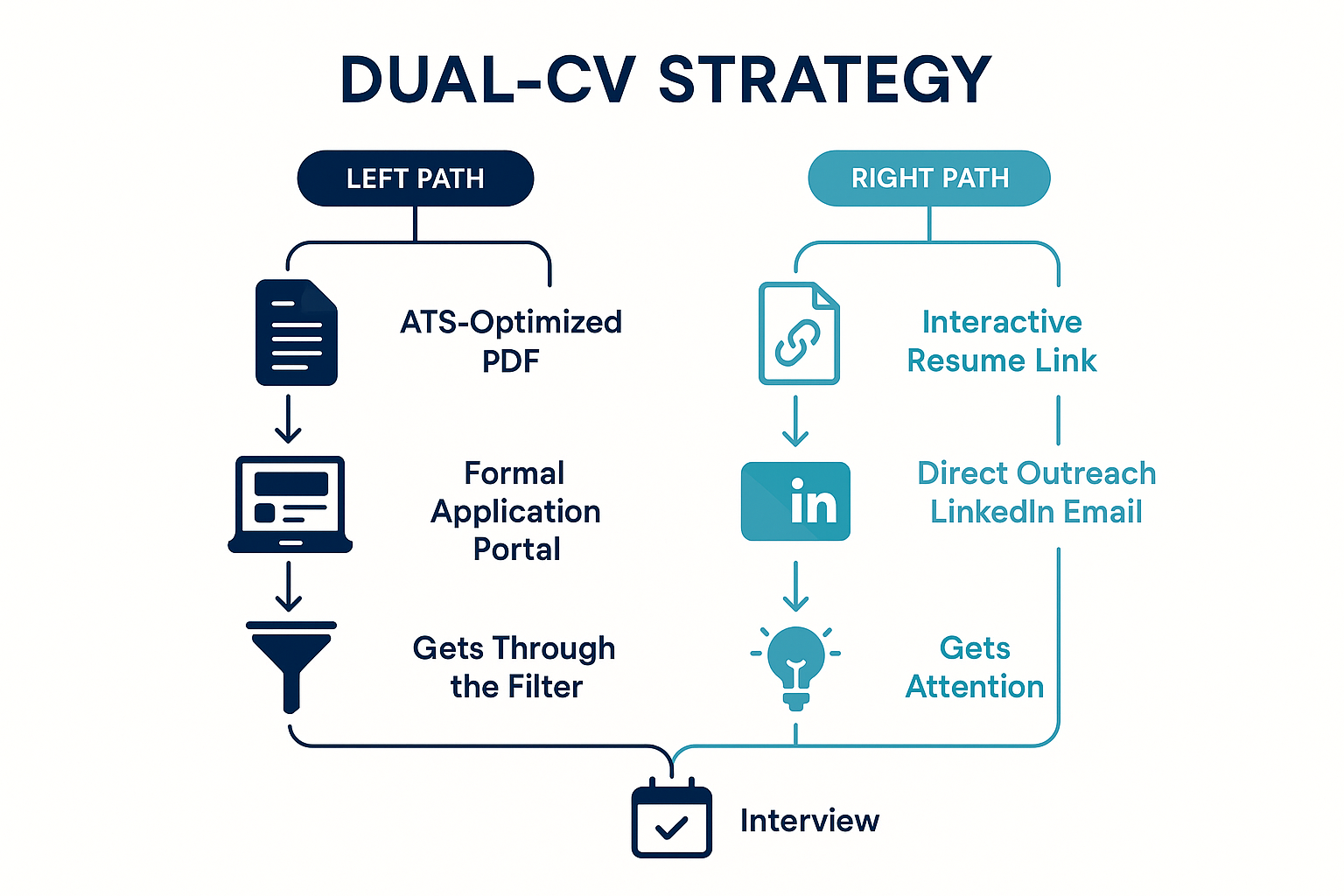
This is the framework that makes everything work, regardless of industry:
Your ATS-optimized PDF — This is what you submit through formal application portals. Clean formatting, keyword-optimized, parseable by any applicant tracking system. This gets you through the digital front door.
Your interactive resume — This is what you share in direct outreach. LinkedIn messages, networking emails, follow-ups after career fairs. A single link that gives people a reason to spend more than 7.4 seconds with your story.
Your PDF opens the door. Your interactive resume closes the deal.
The beauty of this approach is that it works everywhere. Even in conservative industries, your formal application is traditional and compliant. But when you reach out directly to a hiring manager on LinkedIn — and you include a link to something that actually stands out — you’ve just separated yourself from 250 other applicants.
How to Build an Interactive Resume (Step-by-Step)
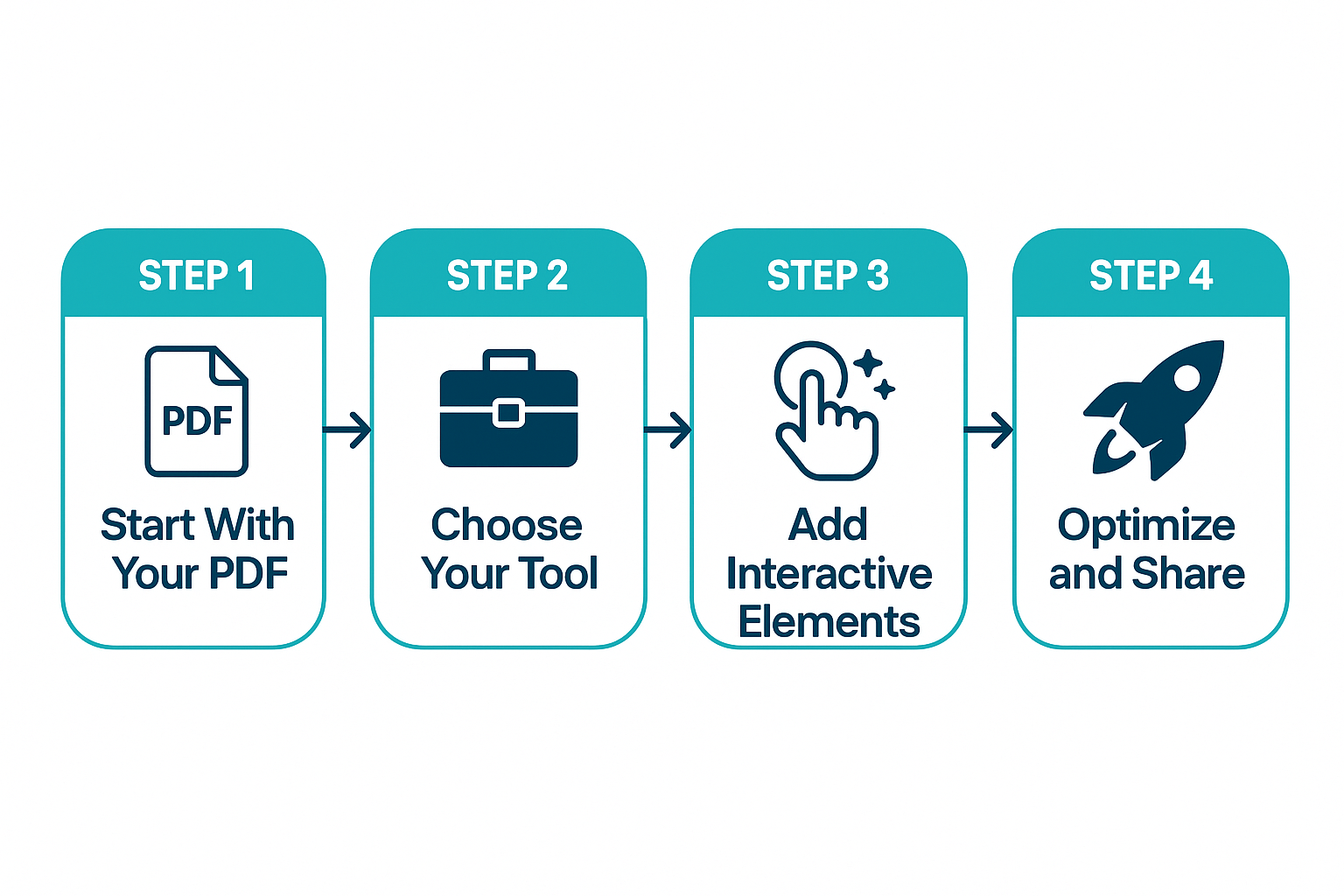
You don’t need to be a designer or a developer. You don’t need to start from scratch. Here’s the practical, step-by-step process.
Step 1 — Start With Your Existing PDF Resume
Good news: the hard part — your actual content — already exists. Your work history, achievements, skills, and education are already written down. You’re not creating a new resume; you’re transforming the one you have into a more effective format.
Before you transform anything, do a quick audit:
- Is it up to date? Any roles, certifications, or projects missing?
- Are achievements quantified? “Increased sales by 34%” beats “responsible for sales growth”
- Is it tailored? A generic resume becomes a generic interactive resume. Target a specific role or role type first
- Is it concise? The content you feed in determines the quality of what comes out
Spend 30 minutes on this. It’ll make everything that follows significantly better.
Step 2 — Choose Your Approach
You have three realistic options:
Option A: AI-Powered Transformation An interactive resume builder like Libertify takes your existing PDF and automatically converts it into an interactive video experience — the fastest way to turn your PDF resume into a video-powered interactive format. You upload your resume, and the tool handles the design, navigation, and formatting. – ⏱ Time: 5-15 minutes – 🛠 Skill required: None — upload and customize – 📊 Output: Professional, consistent, includes analytics
Option B: Manual Creation Build it yourself using tools like Genially, Canva, or custom HTML/CSS. Full creative control, but significantly more work. – ⏱ Time: 5-20 hours – 🛠 Skill required: Design skills or willingness to learn a new tool – 📊 Output: Fully custom, but quality depends entirely on your skills
Option C: Hybrid Use an AI tool to generate the base, then customize manually. Best of both worlds if you have specific creative requirements. – ⏱ Time: 1-3 hours – 🛠 Skill required: Basic — mostly tweaking and refining – 📊 Output: Professional foundation with personal touches
Be honest with yourself about your time and skills. If you’re actively job hunting, every hour spent building a resume from scratch is an hour not spent networking or preparing for interviews. For most people, Option A or C makes the most sense.
Step 3 — Add Interactive Elements
Whether you’re building from scratch or customizing an AI-generated version, these are the elements that make an interactive resume actually work:
- Section navigation — Let recruiters jump directly to what matters to them. A hiring manager for a sales role doesn’t care about your education first — they want to see your numbers. Give them that control
- Video intro (30-60 seconds) — A short, authentic personal pitch. Not a scripted commercial — just you, explaining what you’re about and what you’re looking for. This alone creates a connection that text can’t match
- Visual data — Charts or graphics for your key metrics. “Grew revenue from $2M to $5M in 18 months” is powerful. A visual showing that growth curve is unforgettable
- Q&A or chatbot element — Pre-answer the questions recruiters always ask: “Why are you leaving your current role?” “What’s your salary expectation?” “Are you open to relocation?” This saves them time and shows forethought
- Clear CTA — What should the recruiter do after viewing your resume? “Schedule a 15-minute call,” “View my portfolio,” “Connect on LinkedIn.” One action, clearly stated
Step 4 — Optimize for Recruiter Experience
Your interactive resume can have amazing content and still fail if the experience is frustrating. Keep these non-negotiables in mind:
- Speed matters — If it takes more than 3 seconds to load, you’ve lost them. Compress images, avoid heavy animations, use a reliable hosting platform
- Mobile-first — Many recruiters review candidates on their phones, especially during initial screening. If your interactive resume doesn’t work on mobile, it doesn’t work
- Easy sharing — Recruiters who like what they see forward it to hiring managers. Make sure your link is clean, memorable, and doesn’t require a login or download
- Analytics — Know when someone views your resume, how long they spend, and which sections they explore. This intel is gold for follow-ups. (Libertify includes built-in analytics for this — other tools may require additional setup)
Real-World Examples: Traditional vs Interactive
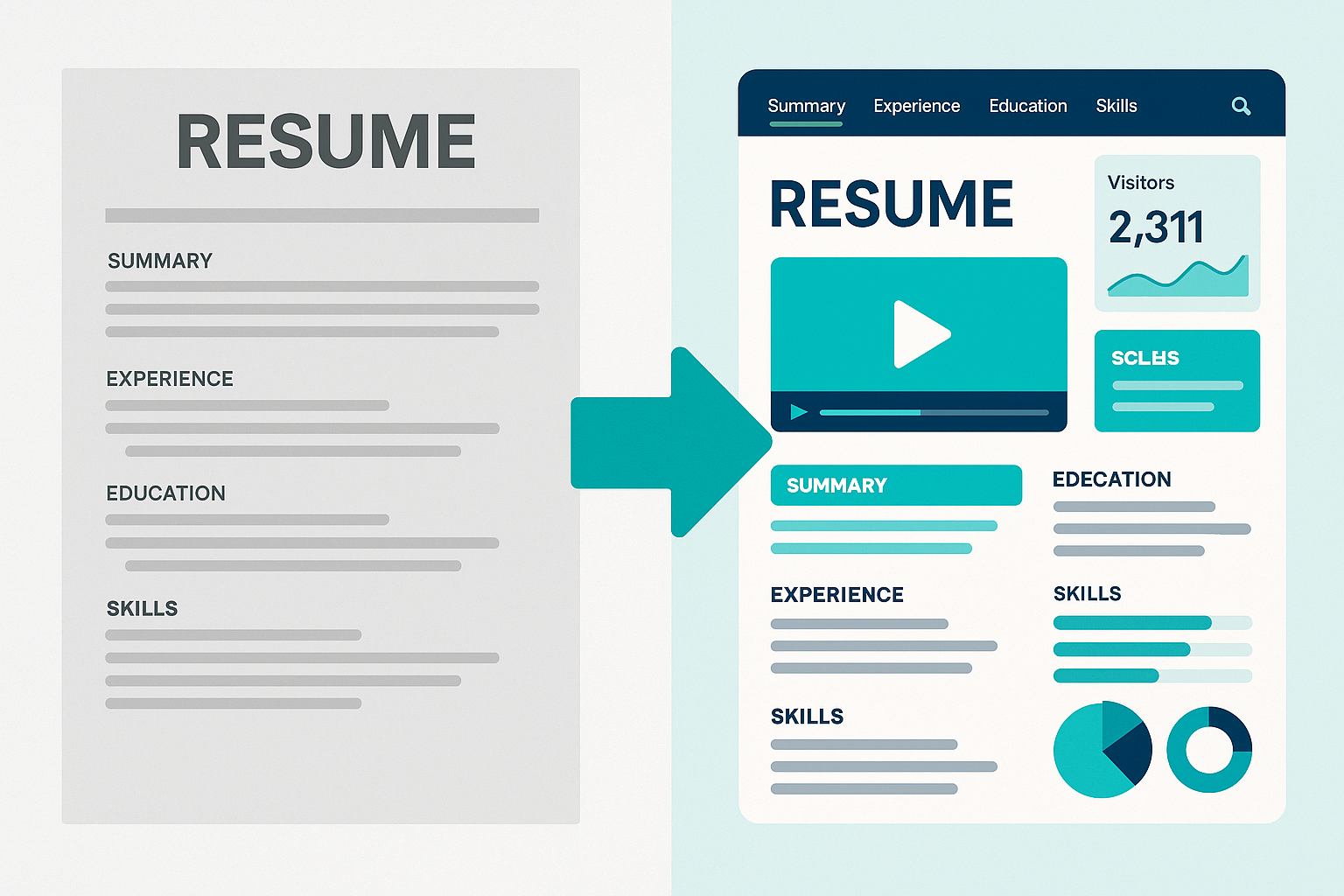
The Traditional Version: Sarah, a marketing manager with 8 years of experience, sends her PDF resume. It’s well-written — clean formatting, strong bullet points, quantified achievements. The recruiter opens it, scans the top third (company names, job titles, maybe one or two bullets), and moves to the next candidate. Total time: about 8 seconds. Sarah’s best achievements — the campaign that generated $2.3M in pipeline, the brand refresh that increased engagement by 180% — are buried on page two. They never get seen.
The Interactive Version: Same Sarah, same experience. But now the recruiter clicks a link and lands on a navigable experience. The first thing they see: a 45-second video of Sarah explaining her approach to growth marketing. Below that, clickable sections: “Campaign Results,” “Brand Strategy,” “Team Leadership,” “What I’m Looking For.” The recruiter clicks “Campaign Results” because that’s what the role needs. They see the $2.3M pipeline number front and center, with a visual breakdown of the campaign funnel. Total time spent: 2 minutes and 40 seconds. Sarah gets the interview.
Same person. Same qualifications. Different format. Different outcome.
What Recruiters Actually Say
Don’t take our word for it. Here’s what the people on the other side of the hiring table are saying (see also how Libertify works to understand the recruiter experience):
“83% of recruiters say they’re more likely to hire candidates who’ve tailored their resume to the specific job.” — Jobvite Recruiter Nation Survey
“64% of recruiters noticed an uptick in look-alike, AI-generated resumes.” — HeroHunt.ai 2025 Hiring Trends Report
“First-come, first-served, because I don’t have time to review thousands.” — VP of HR, quoted in Enhancv 2025 study
The pattern is clear: recruiters are overwhelmed, they’re drowning in sameness, and they’re looking for signals. Not gimmicks — signals that a candidate put in genuine effort and thought. An interactive resume, done well, is exactly that signal. It says: “I care enough about this opportunity to present myself differently.”
Common Mistakes to Avoid
An interactive resume is only as good as its execution. Here are the mistakes that kill the advantage:
- ❌ Using an interactive resume as your ONLY format — Always have an ATS-optimized PDF ready. The Dual-CV Strategy exists for a reason. Some companies require formal PDF submissions, and you need to be ready
- ❌ Overloading with animations and effects — Substance over style. Every animation should serve a purpose. If it doesn’t help the recruiter understand your value, cut it. Nobody was ever hired because of a spinning logo
- ❌ Forgetting mobile optimization — Test on your phone before sharing. If sections overlap, text is unreadable, or buttons don’t work on mobile, you’re hurting yourself more than helping
- ❌ Making it too long — Respect the recruiter’s time. Your interactive resume should take 2-3 minutes max to explore. If a recruiter wants to go deeper, they’ll reach out — that’s the whole point
- ❌ No clear CTA — You’d be surprised how many interactive resumes end with… nothing. Always tell the recruiter what to do next. “Schedule a call.” “View my portfolio.” “Email me.” One clear action
Frequently Asked Questions
What is an interactive resume?
An interactive resume is a navigable digital experience where recruiters click, explore, and choose which sections to view — unlike a static PDF they scan in 7.4 seconds. Built from your existing resume content, it transforms passive reading into active engagement, helping candidates stand out among 250+ applicants per job posting. AI-powered tools can convert a PDF into an interactive resume in under 15 minutes.
How do I turn my PDF resume into a video?
You can turn your PDF resume into a video or interactive experience using AI-powered tools. Upload your existing PDF to an AI-powered platform, and it automatically transforms your static document into a navigable, video-enhanced experience with clickable sections and embedded content. No filming, no design skills required — the conversion takes less than 15 minutes.
Is an interactive resume ATS-friendly?
No — and that’s exactly why you need the Dual-CV Strategy. Interactive resumes aren’t designed to be parsed by applicant tracking systems. Submit your ATS-optimized PDF through formal application portals, and use your interactive resume for direct outreach, LinkedIn messages, and networking. Two formats, two purposes, complete coverage.
Do recruiters actually look at interactive resumes?
Yes, especially for roles where presentation and communication skills matter — marketing, sales, UX, creative, and consulting. Recruiters in these fields expect candidates to demonstrate their skills, not just list them. An interactive resume that’s professional and easy to navigate signals competence. The key: make it easy to use and respectful of their time.
How long should an interactive resume be?
Aim for 2-3 minutes of total content, broken into navigable sections so recruiters can jump to what interests them. Nobody should need to sit through your entire career history linearly. Let them choose — that’s the whole point of making it interactive. Think of it as a choose-your-own-adventure for your professional story.
Can I create one from my existing PDF?
Absolutely. You don’t need to start from scratch. AI-powered interactive resume builders let you upload your existing PDF resume and automatically transform it into an interactive experience. Your content is already there — it just needs a better format. Most people go from PDF to interactive resume in under 15 minutes.
Is it appropriate for all industries?
Not all. Conservative sectors like finance, legal, and government generally expect traditional formats for formal applications. But even in those fields, the Dual-CV Strategy works: submit your traditional PDF formally, and share your interactive version through direct outreach and networking. See the “When Should You Use an Interactive Resume?” section above for detailed guidance.
Ready to Stand Out?
Join thousands of job seekers using interactive resumes to land more interviews.
See How It Works →Start Building Your Interactive Resume Today
The job market in 2026 is brutal — not because candidates aren’t qualified, but because volume and AI homogenization have made it nearly impossible to stand out with a traditional resume alone. Sending more applications isn’t the answer. Making each one count is.
The Dual-CV Strategy gives you the best of both worlds: ATS compliance for formal applications, and a genuinely differentiated format for the outreach that actually gets you noticed. It’s not about replacing your resume — it’s about giving it a format that does it justice.
Your resume content is already good enough. What’s missing is a format that lets recruiters actually experience it.
Ready to transform your PDF into an interactive experience? Try Libertify free → | See pricing | Explore use cases