PDF to Video: Transform Static Documents into Engaging Interactive Experiences

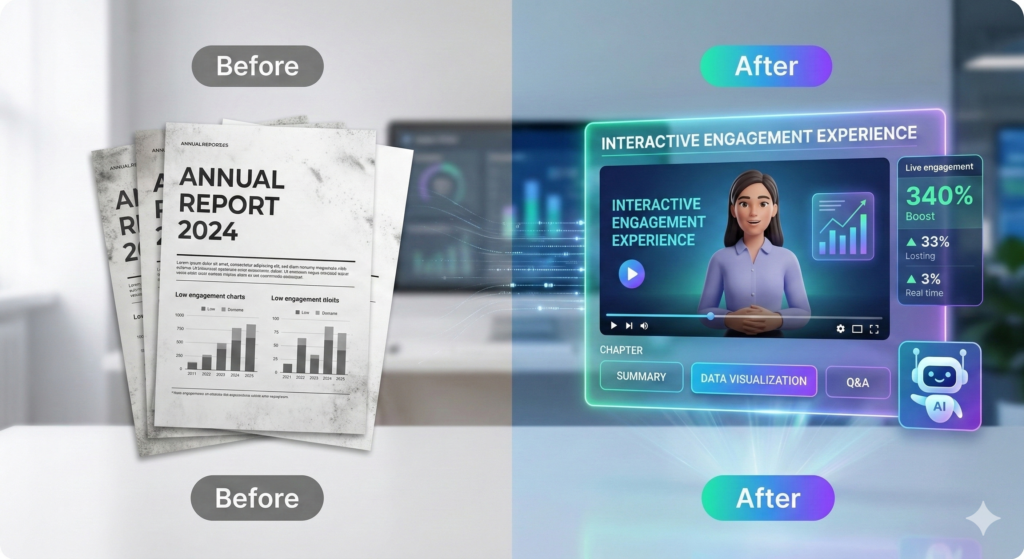
If you want to captivate a modern audience, the decision to convert pdf to video is your most powerful growth strategy. Most people today find long documents boring, so they often ignore them. However, when you use a pdf to video approach, you turn dry text into a dynamic story. Because of this, companies see much higher engagement rates when they stop sharing static files and start sharing interactive videos.
Why You Should Start Converting a PDF to Video Project
The way we consume information has changed. For instance, most users prefer a short video over a ten-page whitepaper. Consequently, the format of your content is now just as important as the information itself.
Higher Social Shares: Video content gets 1,200% more shares than text.
Better Memory: People remember 72% more when they watch an explanation.
Faster Results: Interactive experiences help users learn up to 40% faster.
Because of these facts, shifting to a pdf to video workflow is the smartest move for your marketing team this year.
Best Tools for Your PDF to Video Workflow
Choosing the right tool is the first step toward success. While many options exist, they serve different needs.
Use Libertify for AI-Powered PDF to Video Results
Modern platforms like Libertify do the hard work for you. For example, the AI reads your document and picks out the most important parts. Then, it builds a video that people actually want to watch. This is the best way to handle a pdf to video task if you have a lot of content but very little time.
Traditional Video Editing Software
You can also use tools like Camtasia. However, these require a lot of manual work. Although they offer great control, they can take 20 hours to finish just one project. In contrast, AI tools do the same job in minutes.
A Simple PDF to Video Process for Beginners
If you are ready to start, follow these three easy steps to ensure your content looks professional.
1. Plan Your PDF to Video Narrative
First, upload your file to an AI platform. The system will look at your headers and key points. After that, it suggests a script that sounds natural. This ensures your pdf to video project stays focused and clear.
2. Add Interactive Elements
Next, make the video engaging. You can add “Ask the Document” buttons or quick quizzes. Because of these features, viewers stay focused longer than they would on a static page.
3. Choose the Right PDF to Video Format
Finally, think about where you will post the video. For example, HubSpot Video Marketing Stats suggest that short clips work best for social media. Meanwhile, longer videos are better for internal training.
Pro Tips for Better PDF to Video Engagement
Start with a Hook: Use the first 15 seconds to solve a problem.
Use Transitions: Words like “moreover” or “therefore” help the viewer follow your logic.
Clear Call to Action: Always tell the viewer what to do next.
FAQ: Frequently Asked Questions about Libertify
How does Libertify convert pdf to video process easier?
Libertify uses AI to automate the boring parts of video editing. It reads your PDF, writes a script, and adds a voiceover. As a result, you save hours of work.
Is Libertify better than a screen recorder for a pdf to video task?
Yes, because Libertify adds interactive layers. While a screen recording is just a “video of a document,” Libertify creates a fully immersive experience with AI chatbots and clickable links.
Do I need design skills for a pdf to video project?
No. The platform handles the design for you. You only need to upload your PDF, and the AI suggests the best visuals and layouts.
Can I track results with Libertify?
Yes, you get a full dashboard. Therefore, you can see exactly who is watching and which parts of the document they find most interesting.
Ready to transform your static documents?
Stop losing your audience to boring files. Use Libertify’s AI video generator to start your first pdf to video project today.