The current secret to more productive and profitable organizations lies in improving employee engagement. According to Gallup’s State of the Global Workforce 2025 report, engaged employees have 10% better customer relationships and bring in 18% more sales.
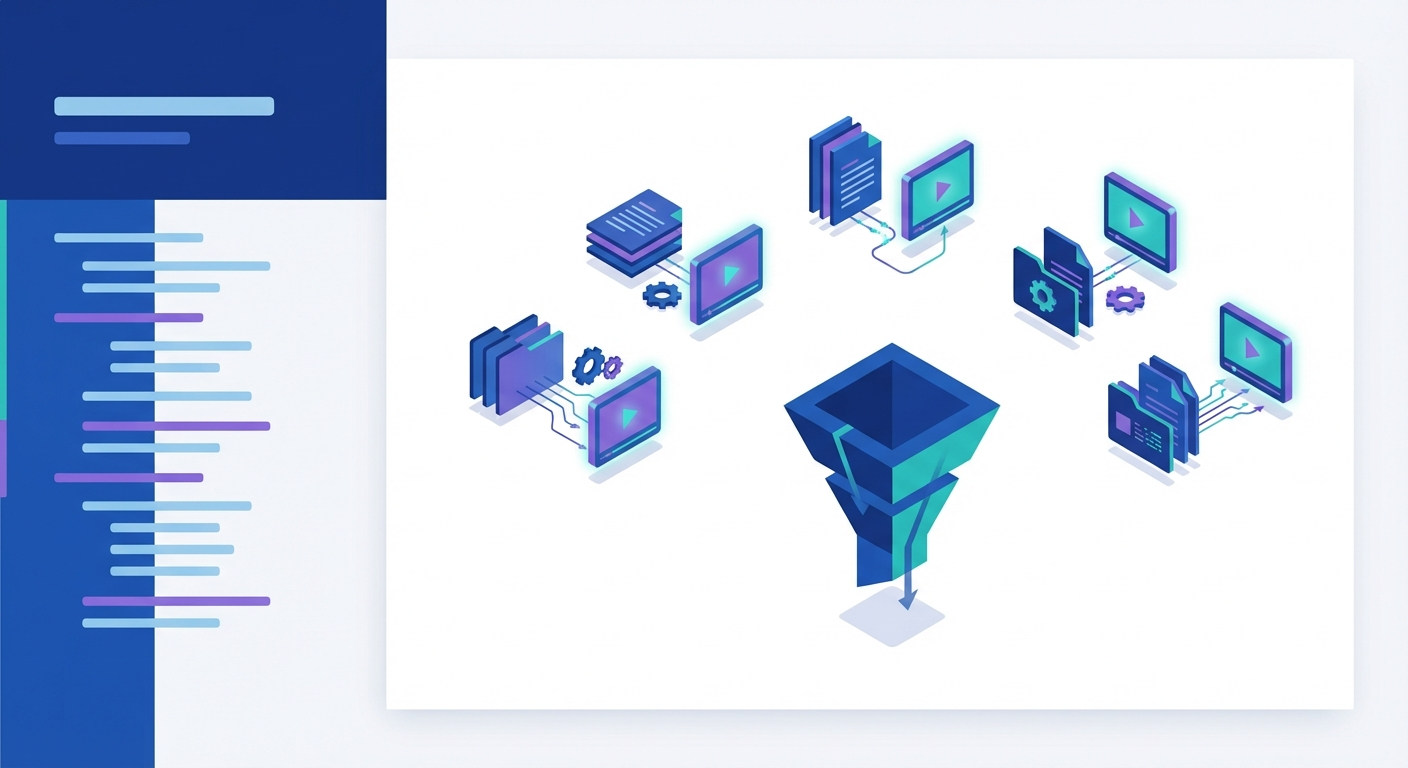
In 2026, static documents no longer serve any purpose. It’s time to transform your dusty PDFs, forgotten Word docs, and sleepy slide decks into sleek, narrated videos that hook viewers, boost retention, and track every click.
Read on to discover the thoughtfully picked best 7 AI tools that turn your documents into watchable and trackable learning experiences within minutes.
How we evaluated what actually matters for document-to-video conversion
More than creative features, document-to-interactive video tools depend on source material and use case. In our evaluation criteria, we compared how each platform handles real-world enterprise documents: policy PDFs, training decks, and onboarding guides. Then measured whether the output supports measurable learning outcomes, scales across teams, and reduces manual production overhead.
The rubric below reflects what matters when documents become the foundation for training, enablement, and knowledge transfer:
- Whether the tool preserves structure (headings, bullets, tables, images) from PDFs, PowerPoint, Word, and Notion exports, or requires manual reformatting
- Whether the platform supports branching scenarios, embedded quizzes, clickable navigation, or AI-grounded chat for on-demand knowledge retrieval
- Whether viewer engagement is measured at the chapter or completion level, whether analytics integrate with LMS platforms via SCORM, and whether drop-off data informs content iteration
- Whether the tool supports SSO, team-based permissions, brand locking, and audit-ready reporting for compliance training or internal enablement at scale
- Whether the tool offers automatic translation, lip-synced dubbing, voice cloning, and cultural adaptation across 50+ languages, or just text-to-speech in a limited set of accents
- Whether the platform generates a usable video in minutes with minimal manual editing, and whether updates to the source document require full re-export or can be reflected automatically
Quick picks by use case
- Best for interactive training from PDFs/SOPs → Libertify
- Best for avatar-led presentations from scripts → Synthesia
- Best for marketing edits & stock-style reels → Powtoons
The shortlist
Here’s a list of 7 best AI tools that turn PDFs, PPTs, or Google/Word Docs to videos.
1- Libertify — Best for interactive explainers from internal documents (HR, onboarding, policy)
Libertify converts internal documents including policies, handbooks, training materials into interactive video explainers. It is ideal for HR, onboarding, and enablement teams needing measurable, document-native learning experiences rather than standalone video production.
What it does with documents:
- Accepts PDF, PowerPoint, and Notion exports as inputs
- Automatically segments uploads into chapters, identifies section highlights, and prepares narrative structure for AI voiceover
- Supports handling of static visuals such as images and tables from the source file
- Ensures automated table of contents mapping and section detection
Interactivity & learning:
- Equips videos with interactive elements, including clickable CTAs and time-stamped chapters for segment navigation
- Embeds knowledge-check quizzes for better understanding and knowledge retrieval
- Embeds Q&A/chat interface grounded in the source document for real-time clarification
Delivery & governance:
- Allows access controls via shareable links or team-based SSO integration
- Provides analytics at the chapter and viewer level
- Captures metrics like completion, drop-off points, and replays to pinpoint what was watched and where engagement dropped
Editing workflow:
- AI-powered narration
- Controls voice, tone, accent, and playback speed
- Auto-generates timeline and template, allows editing for clarity or retention
- Allows brand kit options for visual alignment with company standards
Exports & embeds:
- Shares output as direct web links, MP4 exports, embedded in LMS platforms, added to onboarding checklists, or integrated within collaboration hubs like Notion and Slack
Pricing:
Libertify pricing plans include tiers. Starter plans give you everything basic to create interactive video from documents, including a brand kit, avatars, an editor, and sharing. You can subscribe to higher-tier plans and access more advanced options as you scale.
Where it falls short:
- More detailed analytics and advanced customizations require a high-tier plan
- Offers comparatively fewer avatar and voice cloning features
Best for:
HR, operations, and enablement teams at mid-sized to large organizations need to create scalable, interactive, onboarding walkthroughs or policy explainers directly from internal documentation along with analytics to track completion, compliance, and comprehension.
2- Heygen — Best for avatar-led video explainers from slides or PDFs
Heygen transforms PDFs and PowerPoint files into avatar-led videos with interactive quizzes, branching scenarios, and SCORM export for LMS integration. It offers tools, suited for SMBs to enterprises creating professional explainers and training content.
What it does with documents:
- Allows the upload of PDF and PowerPoint files (up to 50 slides/pages per import)
- Performs slide/section detection by segmenting each page or slide, supporting conversion of text and visuals into editable video backgrounds
- Preserves static images and tables within the file as background elements, which can be visually rearranged
Interactivity & learning:
- Support quizzes, branching scenarios, and clickable hotspots
- Allows dynamic navigation through the video content
Delivery & governance:
- Manages video access through shareable links or direct download.
- Supports SCORM export, allows integration into LMS platforms with reporting on learner completion
- Tracks basic engagement tracking within Heygen, can extend to LMS-based analytics
Editing workflow:
- Provides template and timeline editing, including visual layouts, script-to-speech controls, and AI avatar selection
- Allows customization to choose from avatars, language, voice, and narration
- Provides brand kit options like color, logo, and styling consistency
Exports & embeds:
- Downloads video in multiple resolutions and formats, including web-embeddable links and LMS-friendly SCORM packages
Pricing:
Plans begin with a free tier (limited output and avatar access); creator and team subscriptions add higher export limits, brand kit access, and advanced avatars. API pricing is available for automation or integration.
Where it falls short:
- Users find the cost unfriendly, particularly from SMBs, as there are added costs for enhancements
- Some users report limitations in flexibility and customizations
Best for:
Teams of any size, but especially SMBs and enterprises, that create professional, branded, avatar-led explainer or training videos from existing presentations or PDFs, with a focus on interactivity and ease of use.
3- Colossyan — Best for multilingual training videos from company documents
Colossyan offers multilingual training video creation from documents. It helps with instant avatar cloning and automated scene generation. It also provides SCORM export, branching quizzes, and brand kit enforcement.
What it does with documents:
- Accepts PDF, PowerPoint, DOC, and TXT files as inputs
- Offers two pathways: import mode preserves the existing slide or page design as-is, while document-to-video mode analyzes content and automatically generates scenes with scripts based on the source
- Adds speaker notes in PowerPoint files to script and pulls key information to create scene breakdowns
- Preserves images and tables from the original file, and allows customization
Interactivity & learning:
- Supports quizzes with control over the number and checkpoints
- Enables branching scenarios for viewers to navigate unique video paths based on decision points
- Requires users to add interactive elements manually in the editor after the draft is generated
Delivery & governance:
- Allows sharing via links, downloaded as MP4
- Allows exports as SCORM packages for LMS integration, or embedding into learning platforms, for tracking and reporting
- Offers SAML and SSO support for access control at scale
Editing workflow:
- Provides full timeline editing with AI avatars
- Allows customizable voices and avatars
- Enables branding consistency on high-tier plans
Exports & embeds:
- Downloads videos as MP4 files, exports as SCORM-compatible packages for LMS embedding, or direct link sharing
Pricing:
Free plan available with limited features; Starter package offers 15 minutes of video, 70+ avatars; Business plans offer unlimited videos, 170+ avatars, custom voices, team access; Enterprise custom pricing includes advanced features like brand kits, SCORM export, and SSO.
Where it falls short:
- Users find certain limitations avatar in terms of realistic appearance, lip-sync, and overall movements
- Doesn’t offer variety in expressions, emotions, and tone, which might not be suitable for organizations needing a human element in their videos
Best for:
Training and L&D teams in mid-to-large enterprises need fast, multilingual, and interactive training video production from existing documents, requiring LMS integration and brand consistency.
4- Synthesia — Best for enterprise-scale video localization and avatar-led training
Synthesia helps in enterprise-scale video localization with multiple avatars, languages, and automatic lip-sync dubbing across all exported formats. It integrates SCORM, SSO, and auto-updating LMS videos, for high-volume content production.
What it does with documents:
- Accepts PDF, PowerPoint (PPT/PPTX), Word (DOC/DOCX), and TXT files up to 50MB as inputs
- Analyzes uploaded documents and generates a video outline, scenes, and script, including speaker notes from PPTs
- Handles text-based content conversion, but does not perform detailed table of contents mapping or image/table extraction beyond using them as a reference for scene creation
Interactivity & learning:
- Includes interactive video features such as embedded quizzes, clickable call-to-action buttons, and branching paths
- These interactive elements can be added during the editing phase to create engagement-driven training or compliance videos
Delivery & governance:
- Downloads videos as MP4 files in Full HD 1080p resolution, shared via direct links, embedded into websites or LMS platforms
- Supports SCORM exports for LMS integration for completion tracking
- Provides SSO and advanced access control features with Enterprise plans
Editing workflow:
- Provides a scene-based timeline editor with access to multiple AI avatars, the number depends on the plan
- Enables customized narration in multiple languages and control over tone, accent, pitch, and speed
- Offers a branding kit including fonts, colors, logos, and reusable scene templates
Exports & embeds:
- Exports videos as MP4 files, shareable links, and web embeds
- Supports SCORM-compliant packages for LMS deployment
Pricing:
Free plan includes basic features and up to 3-minute videos; Starter package comes with limited avatars and minutes; Creator with expanded avatar library and collaboration tools; Enterprise tier offers custom pricing with advanced features including unlimited seats, SCORM export, priority support, and full brand controls.
Where it falls short:
- Teams with heavy volume workloads face challenges while creating long videos, as minute-based pricing restricts video length, and the cost can accumulate.
- Users find avatars sound robotic and have limited gestures.
Best for:
Enterprise training and L&D teams, global marketing departments, and content operations teams requiring high-volume videos, multilingual localization, and scalable avatar-driven content with LMS integration and governance.
5- Powtoon — Best for animated, branded video content from documents and presentations
Powtoon emphasizes animated, branded video creation from documents using templates, characters, props, and HeyGen-powered avatars. It supports quizzes, surveys, and corporate template locking, for interactive experiences.
What it does with documents:
- Accepts PPTX, PDF, DOC, and TXT files up to 100MB as inputs
- Imports preserve text, bullets, shapes, images, tables, transitions, slide backgrounds, and line/bar/pie charts, but exclude animations, sound, video, SmartArt, notes, and comments
- Analyzes uploaded documents and generates video scripts, scenes, and visual structure
- Handles section detection and narrative structuring; it does not include table of contents mapping
Interactivity & learning:
- Provides interactive elements such as quizzes, surveys, and polls to videos for engagement and data collection
- Doesn’t include branching or advanced conversational interactivity as a core feature
Delivery & governance:
- Exports outputs as MP4 files, shared via links, or embedded into websites and LMS platforms
- Includes SSO integration, private domain hosting, admin controls, and team management features in a high-tier plan
- Provides analytics capabilities that are available for tracking engagement, but are not detailed at the individual viewer level
Editing workflow:
- Provides a scene-based drag-and-drop editor with access to templates, characters, props, animations, and a royalty-free asset library
- Allows users to add AI avatars with lip-sync, text-to-speech narration, and custom voiceovers
- Offers branding through corporate templates, shared brand assets, brand locking, and centralized asset libraries available on Professional and Enterprise plans.
Exports & embeds:
- Exports videos as MP4 files with branding, supports web embeds, direct link sharing, and LMS integration
Where it falls short:
- Users find certain drawbacks with animations, like limited transitions, flexibility, and adding text
- The interface is complex, taking time to learn, and performance slows down for large videos.
Pricing:
Free plan available with limited features and Powtoon watermark; Lite comes with 10 credits/year and 10-minute videos; Professional with 25 credits/month and 20-minute videos; Advanced offers 350 credits/year and 30-minute videos; Enterprise custom pricing includes team collaboration, SSO, admin controls, 1TB storage per user, ISO 27001/GDPR compliance, and dedicated support.
Best for:
Marketing teams, L&D departments, and internal communications professionals at SMBs to enterprises seeking animated, highly branded video content for training, onboarding, product demos, and internal updates.
6- AI Studios — Best for automated script generation from documents with multilingual avatars
AI Studios (DeepBrain AI) automates script generation from uploaded documents. It offers multiple avatars and languages. It supports third-party interactive video integrations and brand kit syncing.
What it does with documents:
- Accepts PDF, PowerPoint (PPT/PPTX), Word (DOC/DOCX), and TXT files as inputs
- Reads uploaded content, identifies key points, and generates a voiceover script organized into video scenes
- Allows selection of images from the uploaded document or source visuals from web, stock, or AI-generated media
- Does not perform detailed table of contents mapping, but does segment content into structured scenes
Interactivity & learning:
- Supports integration with third-party interactive video tools to add quizzes, clickable buttons, decision trees, and branching video paths
- Layers interactive elements onto exported videos using external platforms for assessment checkpoints and personalized navigation
- Lacks native interactive features within AI Studios are limited; enables interactivity through post-export integration
Delivery & governance:
- Downloads videos as MP4 files, shared via links, embedded into websites, and LMS platform integration
- Allows integration into LMS systems through standard embedding or third-party SCORM packaging tools
Editing workflow:
- Provides a browser-based editor with diverse appearances, accents, and expressions. Users can
- Allows customized scripts, voices, languages, and avatars
- Enables branding with custom fonts, logos, and brand assets
Exports & embeds:
- Provides output as downloadable MP4 files or shareable web links
- Translates and dubs videos into 30+ languages with voice cloning and lip-sync
- Embeds video output into websites, learning platforms, and content hubs
Pricing:
Free demo available; Contact the sales team for pricing information.
Where it falls short:
- Most voices sound robotic, making them unsuitable for videos involving expressions or emotional tone
- Users find drawbacks such as limited templates and avatar expressions, lip-sync accuracy, and avatar customization
Best for:
Marketing, training, and communications teams at SMBs to enterprises that need fast, multilingual video production with realistic avatar narration and minimal manual editing.
7- FlexClip — Best for fast, template-driven video creation from documents with extensive customization
FlexClip provides template-driven video editing and AI-powered PDF/PPT conversions. It supports quiz videos, multilingual text-to-speech, and drag-and-drop customization.
What it does with documents:
- Accepts PDF, PowerPoint (PPT/PPTX) files up to 50MB and 50 pages as inputs
- Condenses content into a concise script, and automatically generates video scenes, pulls images from stock libraries or the document itself
- Adds music/voiceovers in multiple languages
- Handles structure detection, but doesn’t provide table of contents mapping
Interactivity & learning:
- Supports quizzes with customizable multiple-choice questions, answer options, and feedback for correct/incorrect responses
- Branching or decision-tree interactivity beyond quiz elements is not detailed as a native feature
Delivery & governance:
- Allows video outputs as MP4 files in resolutions up to 4K, GIF format, or MP3 audio files, along with shareable links for embedding in blogs or social media platforms
- Provides cloud storage access with collaboration features
- LMS-specific export formats like SCORM are not explicitly mentioned
Editing workflow:
- Provides a browser-based timeline editor with drag-and-drop functionality
- Provides templates, royalty-free stock footage, music library, and AI-powered tools, including text-to-speech with customizable voice style, speed, and pitch
- Allows addition of custom branding logos, transitions, animations, text overlays, and stickers
Exports & embeds:
- Provides outputs as MP4 (480p, 720p, 1080p, 4K), GIF, or MP3 audio formats
- Enables multilingual distribution
- Supports direct embedding and sharing to social platforms and cloud storage services
Pricing:
Credits-based pricing tiers.
Where it falls short:
- Users suggest improvements for audio quality
- Users find that it lacks advanced editing controls that are needed for complex video generation
Best for:
Content creators, marketers, educators, and small businesses need a versatile, template-based video editor with AI-powered document-to-video conversion, customization options, and social media optimization at an accessible price point.
Side-by-side comparison
Below table illustrates core features of top document to video conversion tools.
| Tool | Accepts (PDF/Doc/Slides) | Preserves Structure | Interactivity (Quiz/Branch/Chat) | Avatars/VO | Brand Controls | Analytics Depth | Access Control | Export/Embed | Typical Time-to-First-Draft | Best For |
| Libertify | PDF, PPT, Notion | Yes, auto chapter segmentation, TOC mapping, and section detection | Quiz, clickable CTAs, doc-grounded Q&A/chat, timestamped chapters | AI voiceover with customizable tone, accent, speed | Brand kit for visual alignment | Chapter/viewer-level metrics, completion, drop-off, replays | Shareable links, team SSO | Web links, LMS embed, MP4, Notion/Slack integration | Minutes | HR, onboarding, policy explainers, text to video from onboarding SOPs, for mid-to-large orgs |
| Heygen | PDF, PPT (50 slides/pages max) | Slide/section detection, speaker notes to script | Quiz, clickable hotspots, branching scenarios | 200+ avatars (photo/video/stock), AI-generated narration | Brand kit (color, logo, styling) | Basic engagement; extended via LMS SCORM | Shareable links, download | MP4 (multiple resolutions), web embed, SCORM for LMS | Minutes | SMBs to enterprises needing branded, avatar-led explainers with interactivity |
| Colossyan | PDF, PPT, DOC, TXT | Import preserves design; doc-to-video analyzes and generates scenes | Multiple-choice quizzes, branching scenarios | 150+ avatars (200+ Enterprise), 70+ languages, custom avatar cloning | Brand kits (fonts, colors, logos) on Business/Enterprise | SCORM-based LMS tracking | SAML/SSO on Enterprise | MP4, SCORM, web links, LMS embed, 4K on Enterprise | Minutes | Mid-to-large enterprise L&D teams needing multilingual training with LMS integration |
| Synthesia | PDF, PPT, DOC, TXT (50MB max) | AI analyzes content, generates outline/scenes/script; PPT speaker notes extracted | Quizzes, clickable CTAs, branching paths | 240+ avatars, 140+ languages with lip-sync | Brand Kit locks fonts, colors, logos, templates | SCORM enables LMS-based completion tracking | SSO on Enterprise | MP4 (1080p), web embed, SCORM, direct links, auto-updating LMS videos | Minutes | Enterprise training, global marketing, high-volume multilingual video with LMS governance |
| Powtoon | PPTX, PDF, DOC, TXT (100MB max) | PPT text, bullets, shapes, images, tables, and backgrounds preserved | Quizzes, surveys, polls | AI avatars with HeyGen lip-sync, 120+ languages | Corporate templates, shared assets, brand locking on Pro/Enterprise | Engagement tracking (limited detail) | SSO, admin controls on Enterprise | MP4, web embed, links; LMS-compatible (no native SCORM listed) | Minutes | SMBs to enterprises creating animated, branded training and marketing content |
| AI Studios | PDF, PPT, DOC, TXT | Auto scene generation, PPT speaker notes extracted | Quizzes, buttons, and branches via third-party integration | 200+ hyper-realistic avatars, 100+ voices in 80+ languages | Brand Kit with custom fonts, logos synced across the team | Via external integrations and LMS platforms | Link/download access; LMS integration supported | MP4, web links, embed; no native SCORM (third-party packaging) | Minutes | SMBs to enterprises needing fast multilingual video with realistic avatars |
| FlexClip | PDF, PPT (50MB, 50 pages max) | AI condenses content, generates scenes with stock/doc images | Quiz videos with Q&A feedback | AI text-to-speech in 140+ languages, customizable voice/speed/pitch | Custom branding logos, templates on paid plans | Not detailed | Link sharing, cloud collaboration | MP4 (up to 4K), GIF, MP3; social/cloud direct sharing | Minutes | Content creators, marketers, educators, and SMBs need versatile, template-driven creation |
Key insights:
- Enterprise-grade tools prioritize governance and LMS integration: Colossyan, Synthesia, and Heygen offer SCORM export and SSO capabilities, enabling seamless LMS tracking and access control for compliance-driven training environments. Libertify emphasizes chapter-level analytics and team-based access, catering to internal knowledge management needs.
- Multilingual localization is a universal feature, but avatar realism and language breadth differ: Synthesia offers 140+ languages and 240+ avatars, optimized for global enterprise deployment. Colossyan supports 70+ languages with avatar cloning for personalized training. FlexClip and Powtoon offer broader template libraries and animation styles for creative flexibility over hyper-realism.
- Interactivity depth varies by use case: Libertify stands out with document-grounded Q&A/chat for knowledge retrieval. Heygen, Colossyan, and Synthesia focus on branching scenarios and quiz-based engagement. FlexClip and AI Studios offer lighter interactivity, suited for content marketing and lighter training needs.
How to Turn Onboarding Docs Into Short Training Videos
If you need to convert your onboarding slides into a short AI-generated explainer with narration, the process is more straightforward than most teams expect. Here’s a practical workflow that works across the tools reviewed above.
Step 1: Audit your source material. Gather your onboarding handbook, policy PDFs, or slide decks. Remove outdated sections and confirm the content reflects current processes. Most tools accept PDF, PPT, and Word formats directly.
Step 2: Upload and let AI structure the content. Tools like Libertify and Synthesia automatically segment your document into chapters or scenes. Libertify preserves your original headings and builds a navigable table of contents, which is especially useful for multi-section onboarding guides.
Step 3: Customize narration and visuals. Select a voice style, adjust pacing, and add your brand kit. If you’re wondering what is the best AI for turning onboarding training into short how-to clips with chapters, prioritize tools that auto-generate chapter markers — Libertify and Colossyan handle this natively.
Step 4: Add interactivity. Embed knowledge-check quizzes at key milestones. Libertify’s document-grounded Q&A lets new hires ask questions without leaving the video, reducing follow-up support tickets.
Step 5: Distribute and track. Share via link, embed in your LMS, or push to Slack/Notion. Monitor completion rates and drop-off points to identify where new hires lose engagement.
This workflow turns a 20-page onboarding PDF into a chaptered, narrated video in under 30 minutes — no video editing skills required.
AI Doc-to-Video Tools vs. Hiring a Video Contractor
A common question: is an AI tool to convert existing help docs into short how-to videos worth it vs. hiring a contractor? Here’s a side-by-side comparison to help you decide.
| Factor | AI Doc-to-Video Tool | Freelance Video Contractor |
| Cost per video | $5–50 (subscription-based) | $500–3,000+ |
| Turnaround time | Minutes to hours | 1–3 weeks |
| Updates when docs change | Re-upload and regenerate instantly | New revision cycle, additional fees |
| Brand consistency | Brand kit enforced automatically | Depends on briefing quality |
| Scalability | Unlimited videos on most plans | Linear cost increase per video |
| Creative quality | Template-driven, improving rapidly | Custom storytelling, higher polish |
| Interactivity | Quizzes, chapters, embedded chat | Typically static MP4 delivery |
| Analytics | Built-in viewer tracking | Requires separate hosting/LMS |
When AI tools win: High-volume internal content (SOPs, help docs, onboarding), frequent updates, tight budgets, and teams without video production expertise. An AI tool that converts knowledge base articles into SOP videos is worth it when you need dozens of videos maintained over time.
When contractors win: High-stakes external content (product launches, investor presentations), cinematic storytelling, or one-off projects where polish matters more than speed.
For most internal enablement and documentation workflows, AI tools deliver 80% of the quality at 5% of the cost — and the gap is closing fast.
SCORM Export: Which Doc-to-Video Tools Support It?
If you’re asking “does Powtoon support SCORM export?” — you’re not alone. SCORM compatibility is critical for L&D teams who need completion tracking, learner progress reporting, and LMS integration. Here’s how the seven tools in this review stack up.
| Tool | Native SCORM Export | Notes |
| Libertify | No (built-in analytics alternative) | Chapter-level tracking, completion rates, and drop-off analytics without SCORM packaging. LMS embed supported. |
| HeyGen | Yes | SCORM export available for LMS deployment with basic engagement tracking. |
| Colossyan | Yes | Full SCORM support with quizzes and branching scenarios. Enterprise-grade LMS integration. |
| Synthesia | Yes | SCORM 1.2 and 2004 support. Auto-updating videos reflect source changes in LMS. |
| Powtoon | No native SCORM | Powtoon does not natively support SCORM export. LMS-compatible via MP4 upload or embed links, but no built-in completion tracking through SCORM. |
| AI Studios | No (third-party packaging) | Requires external SCORM packaging tools. LMS integration via embed or MP4. |
| FlexClip | No | No SCORM support. Best suited for social/marketing content rather than LMS-tracked training. |
Key takeaway: If SCORM export is a hard requirement, Synthesia, Colossyan, and HeyGen are your strongest options. If you need detailed learner analytics without the overhead of SCORM packaging, Libertify’s built-in tracking provides comparable insights — completion rates, chapter-level engagement, and drop-off data — delivered through shareable links rather than LMS-dependent packages.
Choosing the Right Doc-to-Video Tool for Your Use Case
With seven strong options, which doc-to-video maker should you actually use? The best app to turn documents into videos depends entirely on your workflow, team size, and content type. Here’s a decision framework to cut through the noise.
For internal enablement and AI video documentation: If you need the easiest workflow for converting knowledge base articles, SOPs, or help docs into training videos, start with Libertify. Upload your document, let AI generate chapters and narration, add quizzes, and distribute — all without touching a video editor. It’s purpose-built for teams that want to turn existing documentation into maintainable video libraries.
For enterprise L&D with LMS requirements: Choose Synthesia or Colossyan if your organization requires SCORM export, SSO, multilingual delivery across 50+ languages, and formal compliance tracking. Both offer avatar-led presentations with branching scenarios and brand locking.
For avatar-driven sales and marketing videos: HeyGen excels when you need realistic AI presenters for customer-facing content. Its 200+ avatar library and interactive hotspots make it strong for product demos and explainer videos.
For creative, animation-heavy content: Powtoon and FlexClip shine when visual creativity and template variety matter more than analytics depth. Ideal for marketing teams producing social content, newsletters, or lightweight training recaps.
For budget-conscious teams scaling video from docs: AI Studios and FlexClip offer competitive pricing with solid AI narration and template libraries. If you’re converting knowledge base articles into SOP videos and need a cost-effective starting point, both deliver fast turnaround at accessible price points.
Quick decision guide:
- Need chapters + document chat? → Libertify
- Need SCORM + 100+ languages? → Synthesia or Colossyan
- Need realistic avatars? → HeyGen
- Need animated explainers? → Powtoon
- Need fast, template-based creation? → FlexClip or AI Studios
How to choose the right document to video converter (AI) for you
Here are 5 decision rules to consider.
- If compliance and analytics matter → prioritize access control and granular metrics over avatar variety.
When regulatory training, certification tracking, or audit-ready reporting is required, SSO and analytics become non-negotiable. Colossyan and Synthesia also offer SCORM packaging, SSO, and LMS-based tracking. Heygen provides SCORM tracking but fewer governance controls. Libertify provides both secure AI videos for enterprise and detailed metrics. Maintain a record of how your employees go through the training. Your team can have a verifiable audit trail for lowering legal risks
- If your goal is creating interactive videos from documents (policies, handbooks, SOPs) → choose document-native interactivity and chat.
When your content updates frequently and learners need on-demand clarification, static video exports create maintenance overhead. Libertify treats the document as the source of truth. It directly converts training PDFs into interactive video experiences while enabling Q&A and navigation that reflects the latest version without re-recording or re-uploading to an LMS. This approach suits HR policies, onboarding playbooks, and operational guides where questions arise after the initial training session. Traditional avatar-led tools like Heygen, Colossyan, and Synthesia require manual script updates and re-export when source documents change, making them better suited for stable training content with defined learning paths.
- If you need global reach across 50+ languages → prioritize multilingual voice quality and localization depth.
Multilingual training improves engagement and retention when content is culturally and linguistically adapted, not just translated. Synthesia leads with 140+ languages, automatic dubbing, and lip-sync across 240+ avatars, optimized for high-volume global rollouts. Colossyan offers 70+ languages with instant avatar cloning for personalized training across regions, plus brand-locked multilingual templates. AI Studios and FlexClip support 80+ and 140+ languages, respectively, but with lighter governance features. Powtoon and HeyGen emphasize animation over photorealism. If cultural adaptation and native-speaker authenticity matter, choose platforms with voice cloning and lip-sync over text-to-speech alone.
- If speed and creative flexibility matter more than governance → choose template-driven tools with extensive asset libraries
When producing social content, product demos, or marketing explainers where iteration speed and visual variety outweigh audit trails, template-based tools excel. FlexClip offers 1000+ templates, drag-and-drop editing, and direct social media export. Powtoon provides animated characters, props, and royalty-free assets for branded storytelling, with corporate template locking on higher tiers. Tools like AI studios prioritize creativity and quick turnaround over chapter-level analytics or SCORM packaging.
- If you need interactive learning with real-time knowledge retrieval → prioritize embedded chat and document grounding over branching quizzes.
Libertify embeds document-native AI chat. This allows learners to ask on-the-go questions, search for specific sections, and retrieve procedural details without leaving the video interface. It is ideal for onboarding, technical documentation, and support enablement. Here, the focus is on comprehension, besides compliance checks.
Schedule your Libertify demo today and see your first document reborn into an immersive, measurable video within minutes.
FAQs
1. Will the tool preserve my document’s sections and headings?
Yes, tools like Libertify automatically detect and preserve document sections, headings, and structure, translating them into navigable video chapters.
2. Can I add assessments and track completion?
Tools like Libertify, Heygen, and Colossyan allow embedding interactive quizzes. With Libertify, you can track viewer completion, drop-off, and engagement for each training video.
3. What about confidential docs?
Libertify, Synthesia, and Powtoon support access control for confidential content, including SSO, restricted links, and analytics on who accessed each document.
4. How fast can I produce a training module from a 20-page PDF?
With AI-based conversion tools, a training module from a 20-page PDF can be generated in minutes with automated segmentation and voiceover.
5. Which is the best PDF to video converter for training?
The best tool depends on your use case. Libertify excels for document-native interactivity with embedded chat and chapter-level analytics.Synthesia and Colossyan lead for enterprise compliance training with SCORM, SSO, and multilingual capabilities. FlexClip and AI Studios suit content creators needing fast, template-driven conversion with minimal setup.
6. Do I need SCORM for training videos?
SCORM is necessary when you need LMS integration with completion tracking, learner progress reporting, and audit-ready records for compliance training.For internal enablement without formal LMS requirements, direct links or MP4 exports suffice. Rather than relying on SCORM’s standardized tracking, tools like Libertify provide built-in more detailed tracking. It reveals viewer engagement, completion rates, drop-off points, and replays without requiring SCORM packaging.
7. How long does it take to convert documents to video?
Most AI-powered tools generate a first draft in minutes after upload, with automated script generation, scene structuring, and voiceover narration. Customizations like adjusting avatars, adding quizzes, refining branding adds 10-30 minutes depending on complexity and template availability. Production time scales with document length and interactivity depth.